
Cable Control: Build a Charging Station That Ends Countertop Chaos
Create a central hub with labeled slots that organizes all devices and eliminates tangled cord disasters
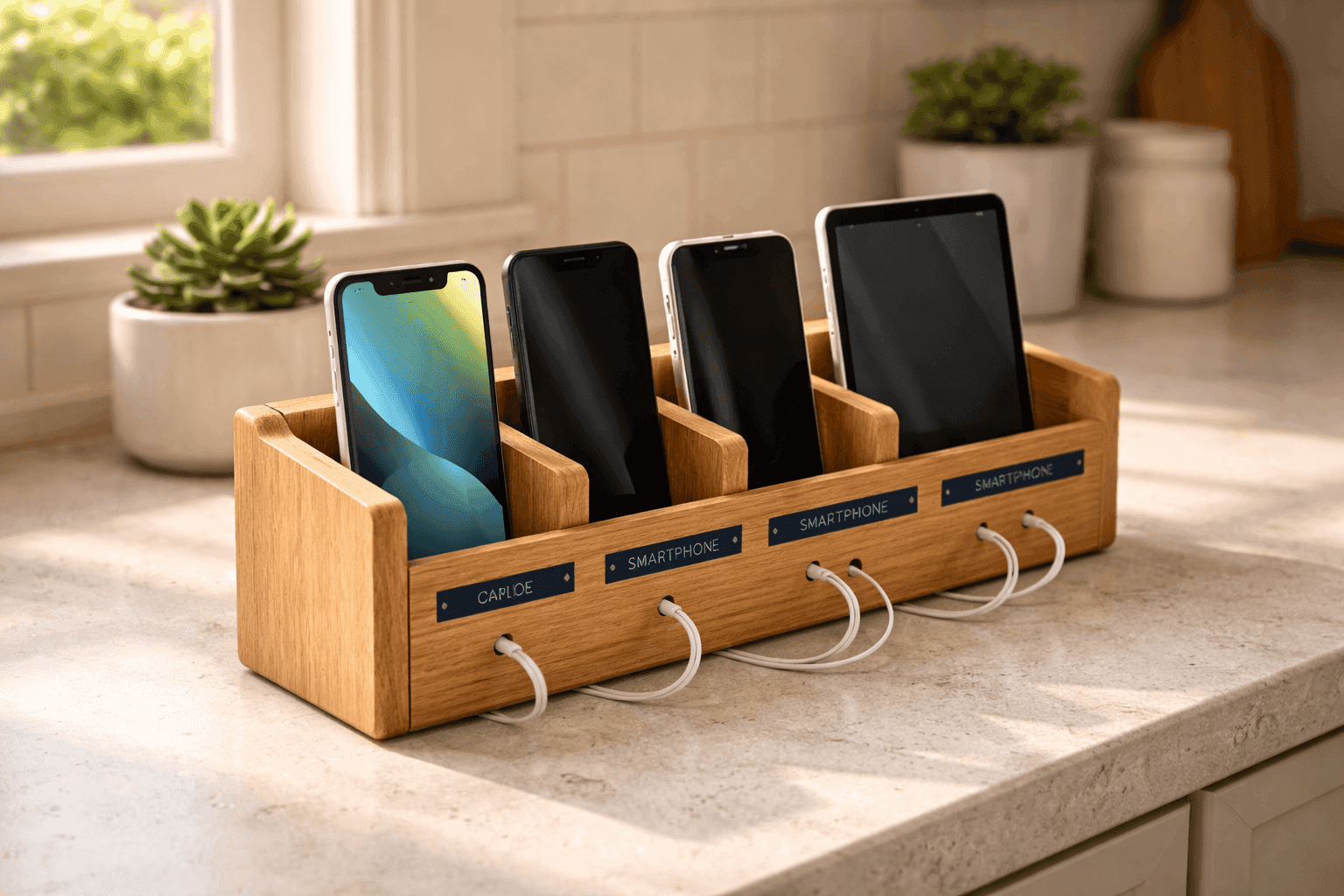
Your kitchen counter has become a tangle of charging cables where phones and tablets sprawl across surfaces competing for outlet access, and you can never find the right cord when your device hits 5% battery. Store-bought charging stations with that clean, organized look cost $40-80 for decent multi-device versions, but you're essentially paying for a piece of wood with slots cut into it and maybe some cable management—nothing you can't build yourself for $15-25. Creating a custom charging station takes about two hours and gives you a central hub sized perfectly for your family's specific collection of devices, with enough slots and cable organization to actually accommodate everyone's phones, tablets, and smartwatches simultaneously. This project combines practical functionality with aesthetic appeal, proving that cable management doesn't require expensive commercial solutions when you can build exactly what you need using basic woodworking skills and materials from the hardware store.
What You'll Need
- Base Board: Wood piece approximately 12x6 inches, pine or hardwood ($8-12)
- Dividers: Thin wood strips or dowels for creating device slots ($3-5)
- Power Strip: Multi-outlet strip for plugging in multiple chargers ($10-15)
- Cord Management: Small hooks, clips, or drilled holes for cable organization
- Finishing: Sandpaper, stain or paint, polyurethane sealer ($8-12)
- Labels: Vinyl letters, wood-burned names, or painted labels for slots
- Tools: Saw, drill, wood glue, clamps, measuring tape
Step-by-Step Method
- Plan your station by counting how many devices need charging simultaneously—phones, tablets, smartwatches—to determine slot quantity and spacing
- Cut your base board to desired length, allowing roughly 1.5 inches per device slot plus space for cable management at the back
- Mark slot positions on the base, spacing dividers evenly to accommodate different device thicknesses from slim phones to chunky tablets in protective cases
- Create slots by gluing vertical dividers perpendicular to the base, using clamps to hold while glue dries completely
- Drill holes or attach hooks at the back for cable management, keeping cords organized and preventing the tangled mess that defeats the purpose
- Sand all surfaces smooth to prevent scratching expensive devices, paying special attention to slot edges where phones slide in and out
- Finish with stain or paint matching your décor, then seal with polyurethane for durability and easy cleaning when dust accumulates
- Add labels identifying whose device goes where, eliminating the "that's my spot" arguments that somehow still happen with technology
Tech organizers recommend building your charging station with slightly wider slots than you think you need—around 1 inch between dividers works for most phones, but 1.25 inches accommodates bulky cases without frustration. Also, angle the base slightly backward by attaching small feet at the front edge; this 10-degree tilt keeps devices from sliding forward and makes screens more visible when checking notifications. For cable management, drill holes sized for charging cable ends to pass through but not the plugs themselves—this lets you thread cables through from the back while keeping the messy plug end hidden behind the station. Consider adding a small drawer or compartment underneath for storing extra cables, wireless charging pads, or earbuds so everything lives in one designated technology zone. The most successful charging stations include one slot that's slightly wider for tablets or e-readers, preventing the awkward moment when someone's iPad doesn't fit in phone-sized slots. Mount the power strip to the back of your station using velcro strips rather than permanent attachment—this allows easy removal for cleaning or replacing the power strip without destroying your woodwork.