Cinema at Home: Creating the Ultimate Media Room
Transform any space into an immersive entertainment zone for movies, gaming, and more
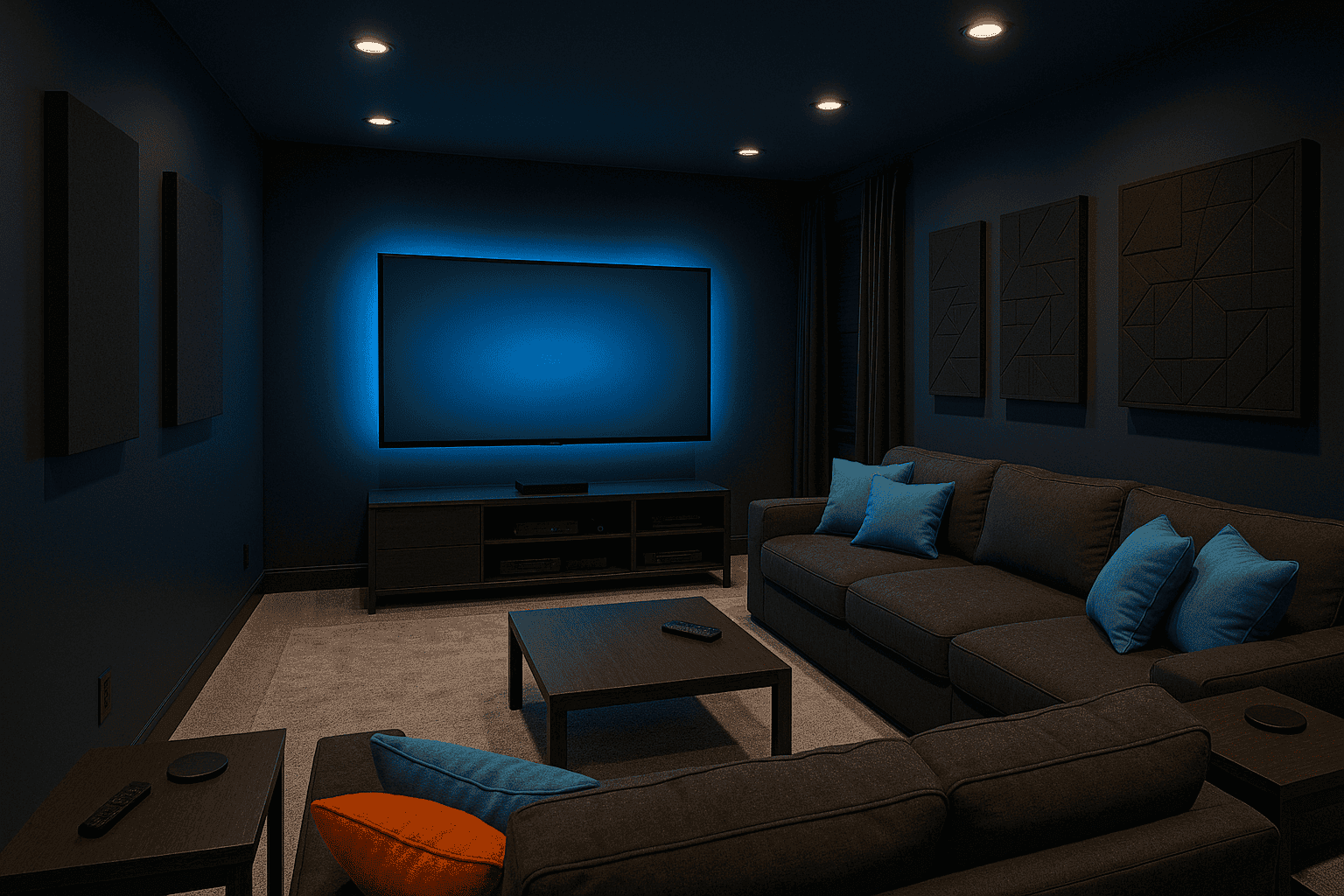
A well-designed media room brings the cinema experience home while offering flexibility for gaming, sports viewing, and family entertainment. Unlike dedicated home theaters, media rooms integrate with your living space while still delivering impressive audio-visual performance. With strategic planning around seating, technology, lighting, and acoustics, you can create an immersive entertainment hub that the whole family will enjoy.
Media Room Essentials
| • Display: Large TV or projector & screen |
| • Sound System: Soundbar or surround sound |
| • Comfortable Seating: Sectional, recliners, or theater seats |
| • Lighting Control: Dimmers, blackout shades |
| • Acoustic Treatments: Sound panels, thick curtains, carpet |
| • Media Storage: Console, shelving, or wall-mounting |
| • Climate Control: Good ventilation for equipment |
| • Accessories: Side tables, cup holders, blankets |
Creating Your Media Room
- Assess your space. Choose a room with minimal natural light if possible, or plan for effective light control. Rectangular rooms generally work better than square ones for sound distribution.
- Plan your layout. Position seating for optimal viewing angles. The ideal distance from the screen is roughly 1.5-2.5 times the diagonal screen size. Ensure all seats have unobstructed views.
- Select your display. For TVs, choose the largest size your budget and wall space allow. For projectors, ensure you have sufficient throw distance and a proper screen or painted wall surface.
- Design your sound system. Consider room size when choosing between a quality soundbar or full surround sound. Position speakers at ear level when seated for best results.
- Control the lighting. Install dimmers for ambient lighting and ensure you can fully darken the room for optimal viewing. Consider LED strip lighting behind the TV to reduce eye strain.
- Improve room acoustics. Add soft furnishings, acoustic panels, or heavy curtains to reduce echo and improve sound quality. Consider bass traps for corners if you're serious about audio.
- Organize components. Create a clean, accessible storage solution for media players, game consoles, and controllers. Consider cable management to minimize visual clutter.
- Add finishing touches. Include convenient side tables, blanket storage, and perhaps a small refrigerator for refreshments to complete the experience.
For a truly immersive experience without completely darkening your media room, paint the walls and ceiling in a dark matte color like navy blue, charcoal, or deep brown. These hues absorb light reflections from the screen while creating a cozy atmosphere. Add a smart lighting system that can be controlled via your phone or voice commands to easily transition between movie mode, gaming mode, and regular lighting without disrupting your entertainment.